HTML PLAN
I wanted to create a webpage that displays the storyboard I created for Comms 2 using an HTML code. My webpage consists of a header, a main section, and a script tag.
The header of the webpage contains two links that will take users to different pages of my website; my Web 2 homepage and the storyboard explanation page. The main section of the webpage will contain a section with an id of "board". Within this section, there will be a div and an article element. The article element will have a class of "story" and will contain multiple figure elements. Each figure element will have an image and a caption, and the images will be numbered from 1 to 18, with each image having a class name of "img" followed by its number.
In addition to the storyboard, I added a navigation element with an ID of "button". This navigation will consist of three elements: two anchor tags with icons that movies between the previous or next slide, and a span tag with an "i" symbol for displaying the narration/story details about the current slide.
CSS PLAN
To create a storyboard section with multiple figures, I used the .story class. This class will have the white-space set to nowrap, which will prevent the figures from wrapping to the next line. Additionally, I also added a transition effect for a smoother visual look. Each figure has a width of 100% and will be displayed inline-block, which allows them to be displayed side-by-side in the storyboard.
For the #button section, I used a grid layout with three columns. This allowed me to position the navigation elements (previous and next icons, and the information icon) in a neat and organized way.
Finally, I addedsome animation effects using keyframes. creating the moveRight and moveLeft animations, which will move the figures to the right and left respectively. Ialso created the zoomIn and zoomOut animations, which will increase and decrease the scale of the figures. These animation effects will add some visual interest and help to draw attention to the storyboard.
JS PLAN
I wanted to create a Js Code that enables the usedr to interact with the storyboard by clicking on individual frames or using the navigation icons to move through the frames. The code also displays information about the current slide, like the number of the slide or narration details.
The code defines three variables: frame, board, and info. The frame variable selects all of the figure elements in the storyboard, while the board variable selects the parent element with the .story class. The info variable selects the HTML element that will display information about the current slide.
The code sets up event listeners for each of the figures in the storyboard, as well as for the forward and first icons in the navigation bar. These event listeners will trigger the slideNext and goToFirstSlide functions, which will allow the the storyboard to go between next slide or the previous slide.
The slideIndex variable keeps track of the current slide, starting at 0. When the user clicks the next button or a figure in the storyboard, the slideNext function is activated. This function checks to see if there are more frames to ddisplay and updates the slideIndex variable and sets the transform property of the board element to move to the appropriate frame. The function also updates the slide animation and activates the displaySlideInfo function to display information about the current slide.
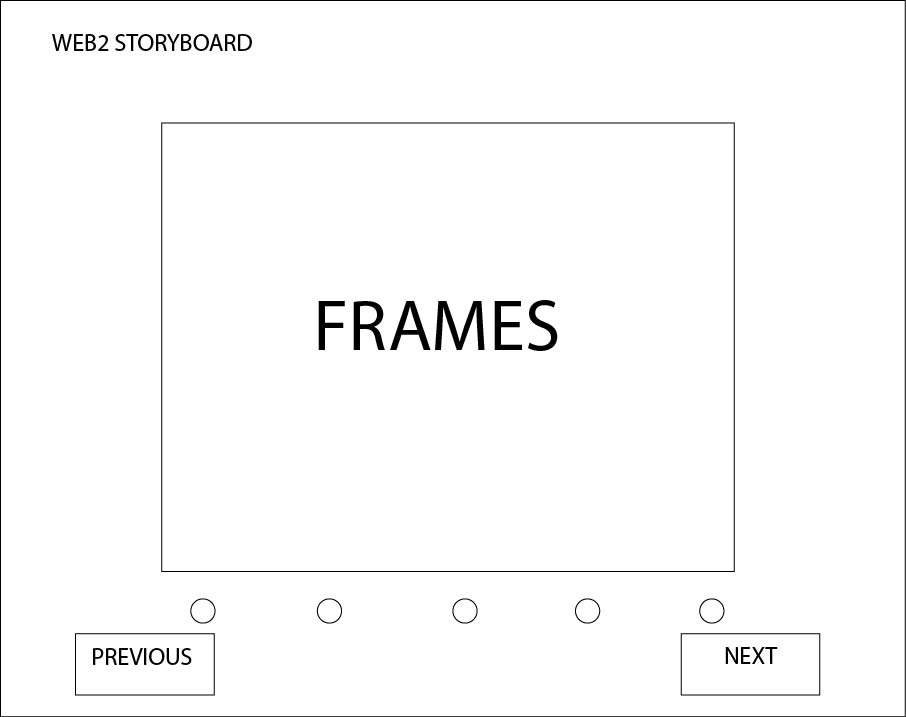
WIREFRAME SKETCH
Feedback from Rough Draft of Slides
more movement when the main character is running
Sketches are a bit messy, maybe do it on ipad
fix the chocolat image, didn't really know it was a chocolate bar